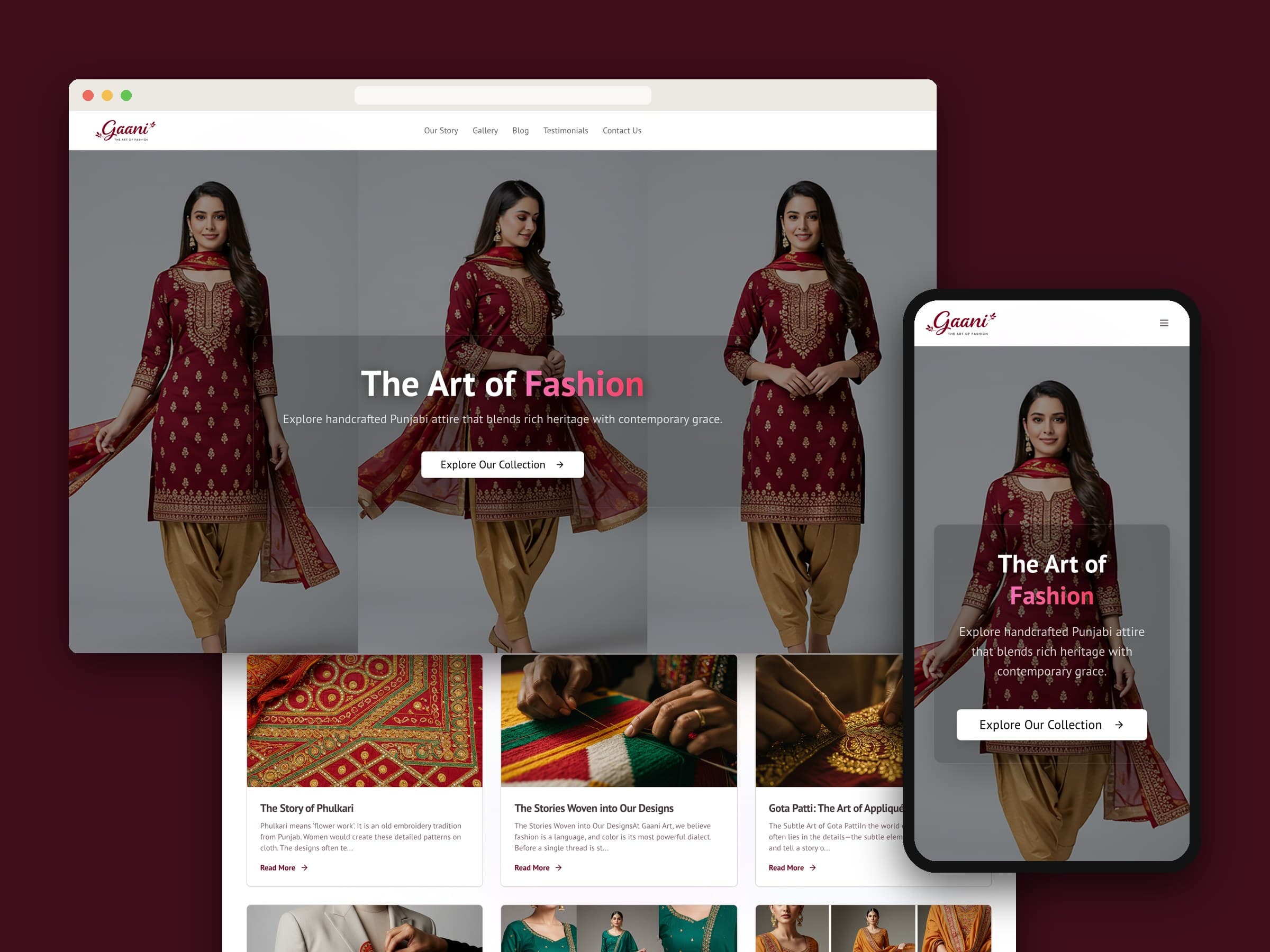
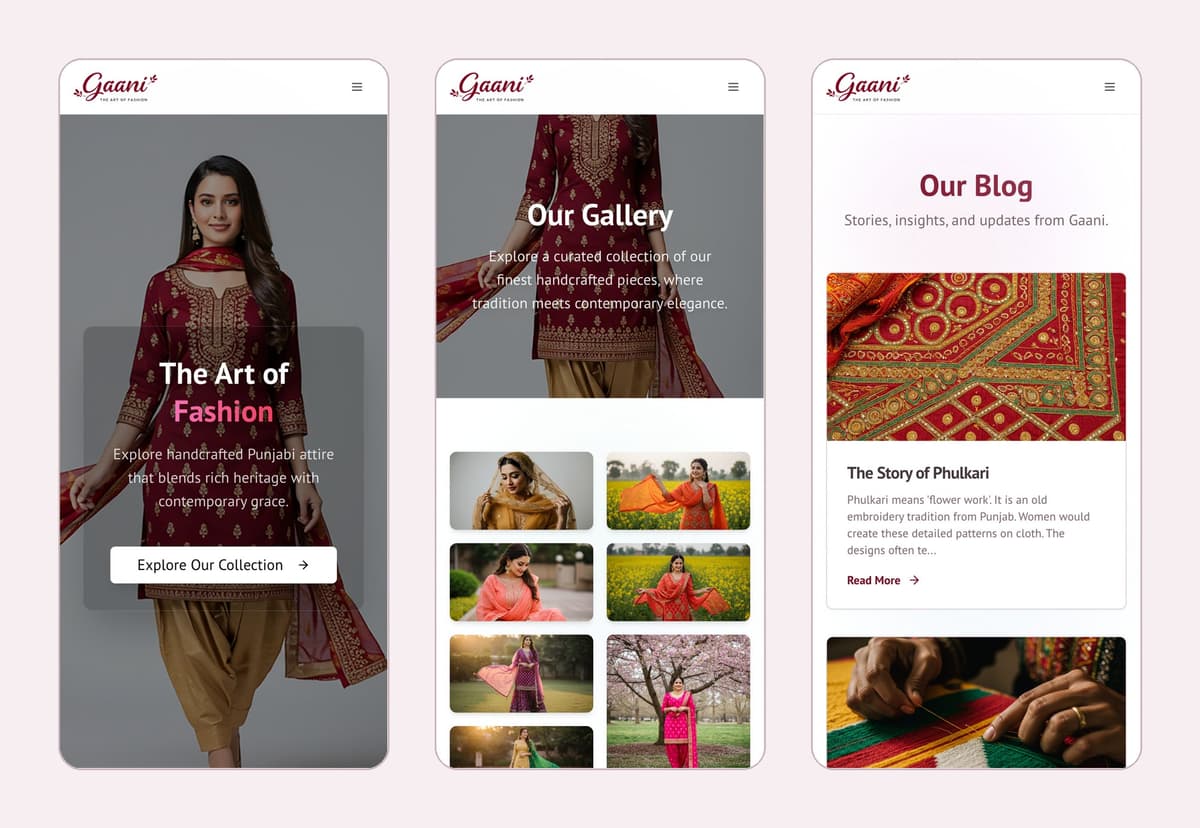
Gaani is a Punjabi fashion label — handcrafted suits, Anarkalis, Shararas and made-to-order pieces. We designed and built its website: a warm, image-led showcase with a gallery, a journal and an enquiry form, plus a private dashboard where the owner changes the photos, the words and the stories herself, without ever calling a developer.
01 — At a glance
| Client | Gaani — Punjabi suits and custom designs |
|---|---|
| Where | Lower Mainland, BC |
| What we built | Brand website, gallery, blog, contact inbox, owner dashboard |
| Stack | Next.js, Firebase (Firestore, Auth, Storage, App Hosting) |
02 — The brief
Gaani's work sells on detail: the colour of a dupatta, the density of the embroidery, the way a Phulkari border catches the light. Gaani specialises in made-to-order pieces, so the site isn't a shop. Its job is to make someone fall for the craft, understand what Gaani makes, and get in touch about a piece of their own.
That meant the clothes had to lead every page, with the words kept short and warm. The brand's own line sums it up:
Your vision, our craftsmanship.
And because collections change, the owner had to be able to keep the site fresh on her own — new pieces, new photos, new posts — with nothing technical in the way.
03 — Clothes first
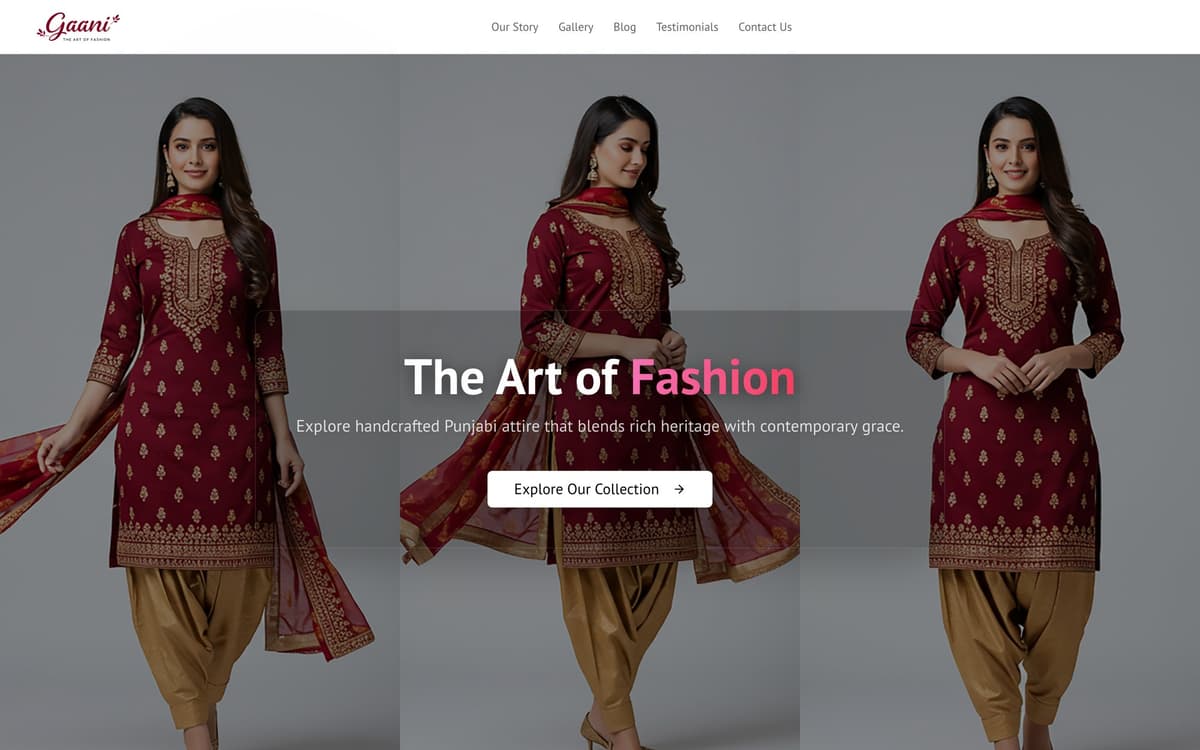
The home page opens on a three-panel hero and the line "The Art of Fashion", then moves straight into what Gaani stands for — heritage, craftsmanship, contemporary design and bespoke work — before handing over to the gallery, a testimonials carousel, the latest journal posts and a set of frequently asked questions.
- A brand, not a template. The crimson script wordmark sets the palette: deep wine for headings and buttons, a single pink accent, soft blush backgrounds and plain PT Sans for reading.
- Answers before questions. Eleven FAQs cover what people ask a boutique anyway — custom orders, timelines, fabrics, Phulkari and Gota Patti work, care, alterations and whether there's a showroom.
- One clear next step. Contact Us sits in the main navigation on every page, leading to a short form for questions and bespoke requests.
04 — A gallery she curates
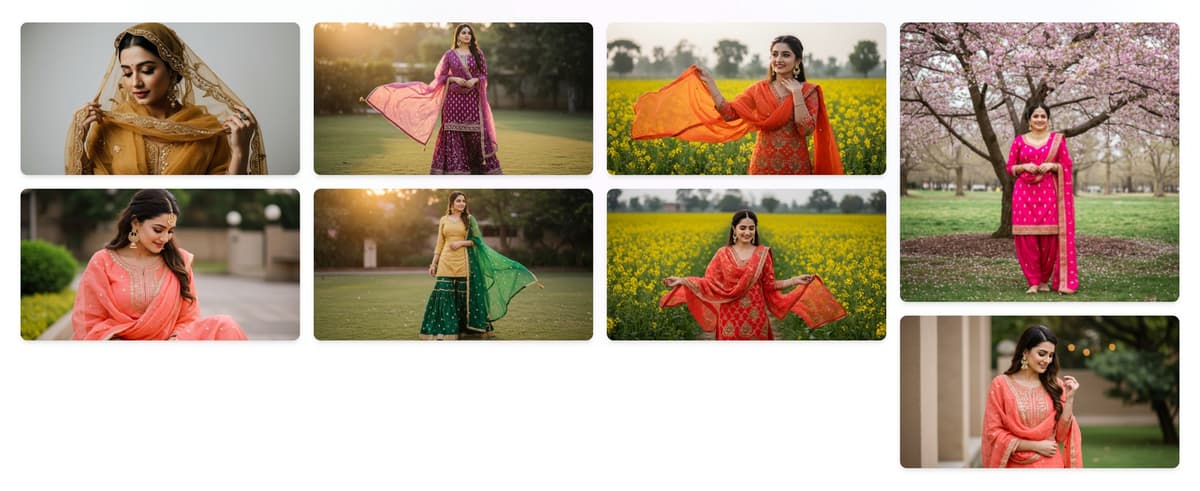
The gallery isn't hard-coded. Each piece is a record in the database with a name, a photo and an optional description, and the owner adds, edits or removes them from her Image Dashboard. Photos are compressed in the browser before they upload — capped at 1920 pixels and about 1 MB — so a full-size phone photo never slows the page down.
05 — Stories behind the stitches
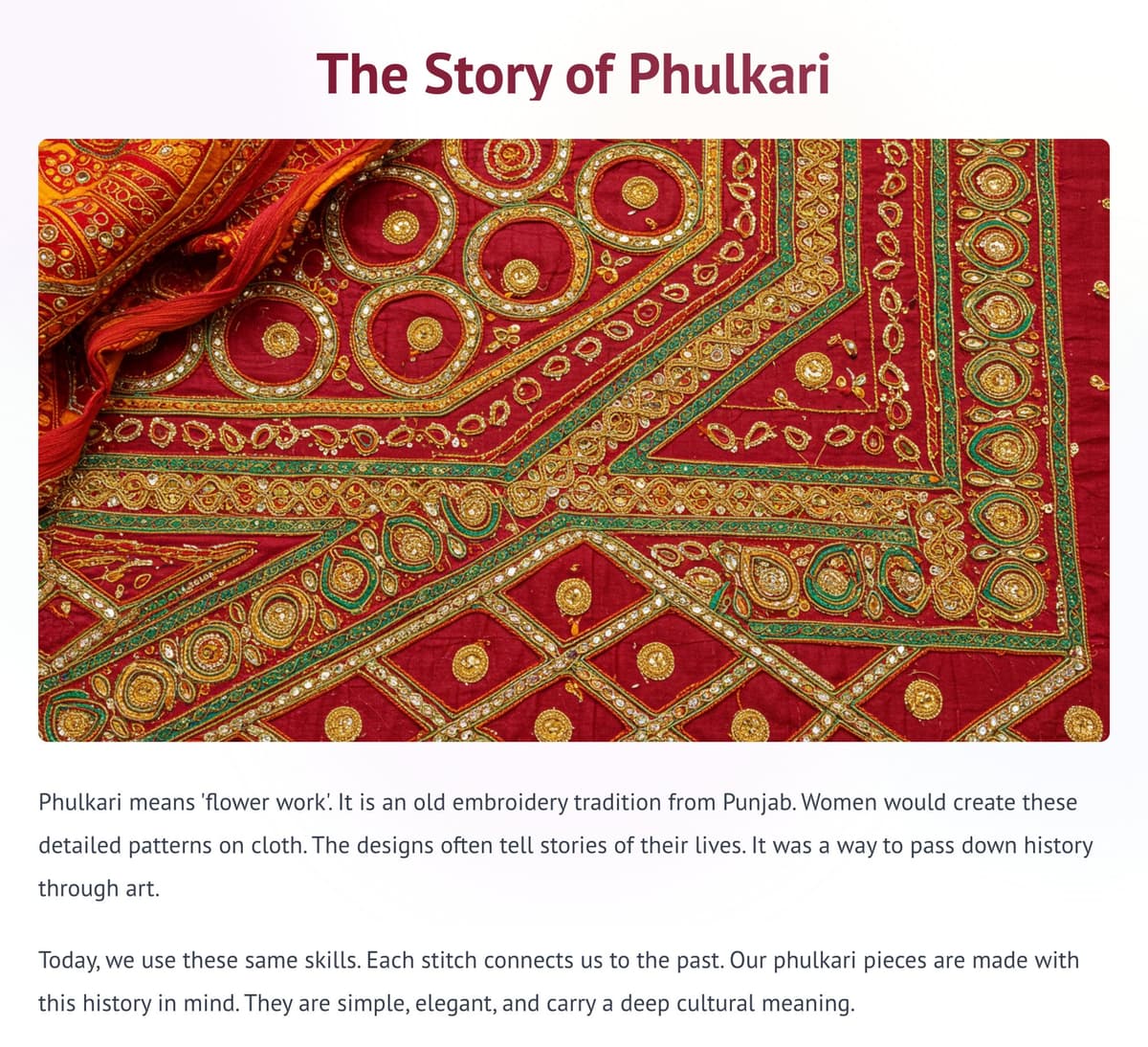
The journal gives the brand room to talk about what makes the clothes worth the price. It holds eleven posts — Phulkari, Gota Patti appliqué, finding the right fit, why the dupatta matters, natural fabrics, caring for embroidered clothes and how a piece goes from workshop to wardrobe. Posts are written and edited in the dashboard, each with its own page and related reading underneath.
06 — The dashboard
Everything a visitor sees can be changed by the owner after signing in at /admin. The dashboard is split by task, in plain words:
- Image Dashboard — add, edit and delete gallery pieces.
- Blog — create, edit and manage journal posts.
- Site Content — the three hero images, the About section's headline, text and photo, and the Instagram, Facebook, Pinterest and X links.
- Site Assets — upload a new logo or favicon.
- Submissions — an inbox of every message sent through the contact form.
07 — Under the hood
- Fast by default. Built with Next.js and served from Firebase App Hosting, with pages pre-rendered and cached at the edge.
- One place for content. Gallery pieces, posts, page copy and brand assets all live in Firestore and Firebase Storage, so the public site and the dashboard always show the same thing.
- A locked back office. The dashboard sits behind Firebase sign-in, so only a signed-in admin can change the site or read messages.
The result is a site that looks like the label and runs like a notebook: when a new suit is finished, it goes up with a photo and a name, and nobody has to wait for us.