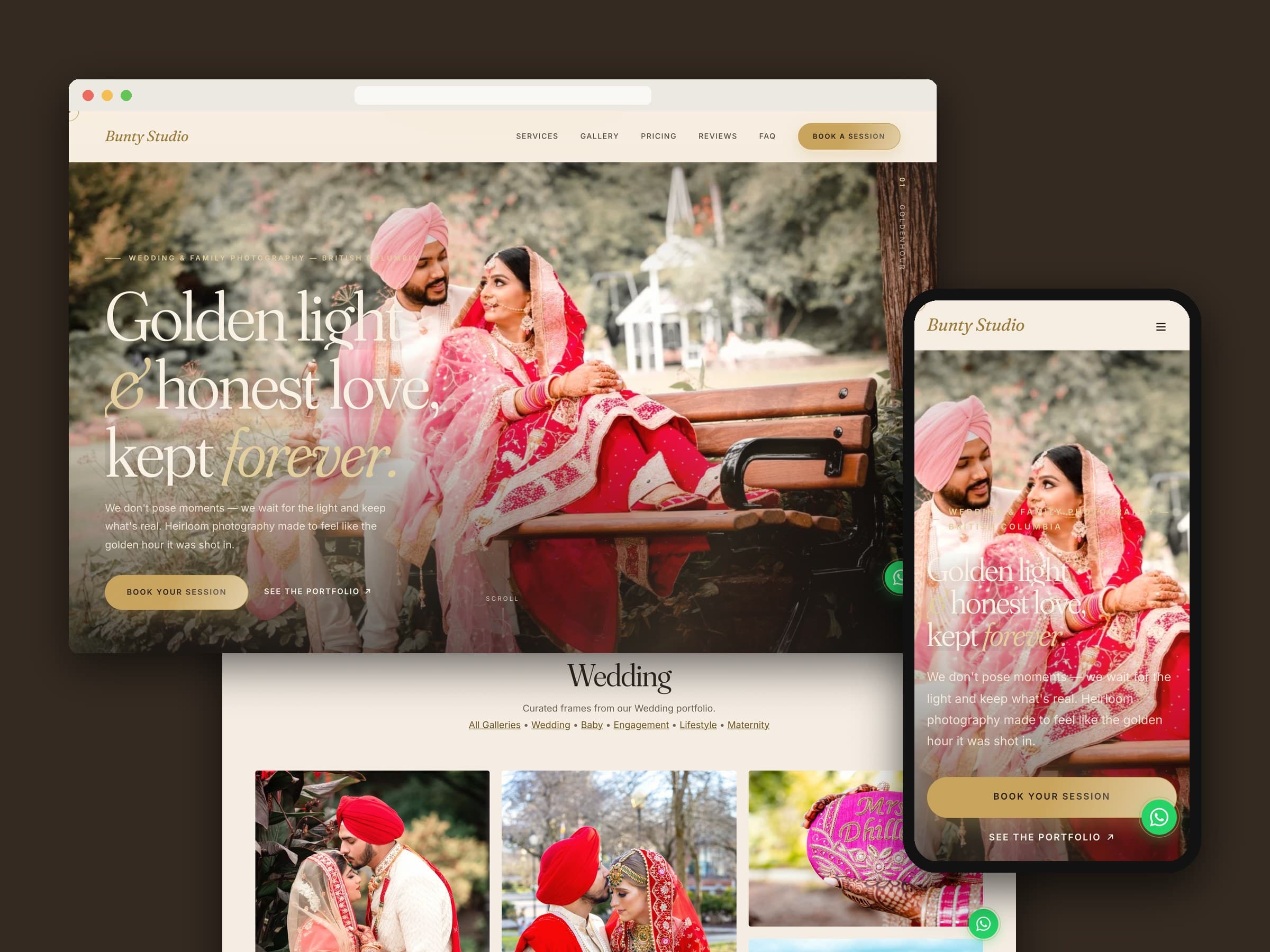
Bunty Studio is a photography studio in Surrey, BC, shooting weddings, engagements, maternity, baby and lifestyle sessions. We built its website from scratch in January 2026 — a custom PHP site with a studio-run admin panel — and in June 2026 redesigned the whole public side around a warmer, film-like look, with the studio's real Google reviews, phone number and address in place of template filler.
01 — At a glance
| Client | Bunty Studio (Photo Studio Bunty Ltd.) |
|---|---|
| Where | Surrey, BC |
| What we built | Website, filterable portfolio, collections and pricing, enquiry form, admin panel |
| Timeline | Built January 2026, redesigned June 2026 |
| Stack | PHP, MySQL, vanilla CSS and JavaScript, Hostinger |
02 — The brief
A photographer's website has one real job: show the work well, then make it easy to get in touch. Bunty Studio's photos are mostly people — couples, families, portraits, many shot in studio light — so the site had to feel warm and personal rather than corporate, and it had to hold up on a phone, where most people browse photographers.
It also had to be something the studio could keep current on its own: new photos, new prices, new reviews, without a developer in the loop. So the design rule was simple:
The photographs do the selling. The site's job is to frame them, then get out of the way.
03 — The first impression
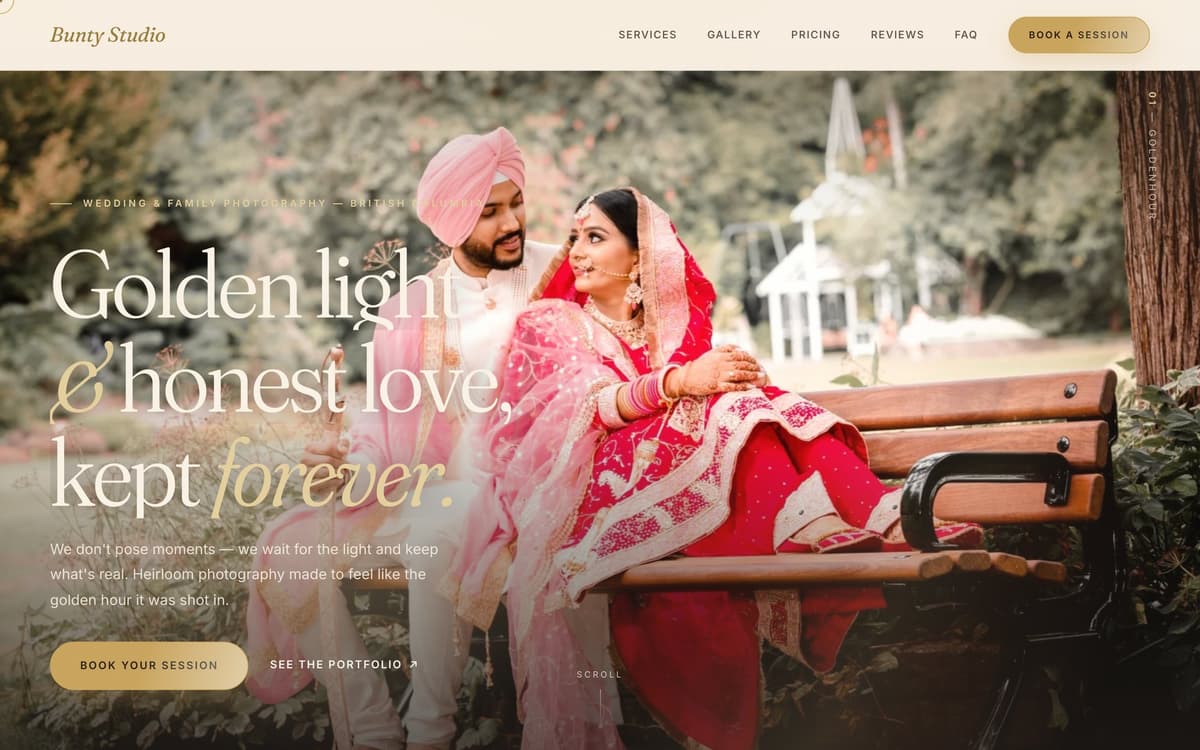
The home page leads with one large photograph and a single line — "Golden light & honest love, kept forever." — over a soft scrim, so the text reads without hiding the picture. Two buttons sit underneath: book a session, or see the portfolio. Everything after that is laid out like an album: a scattered set of prints, the services told as short stories, a four-step "how it works" from first hello to delivered gallery, then prices, reviews and a short enquiry form.
04 — A portfolio that stays quick
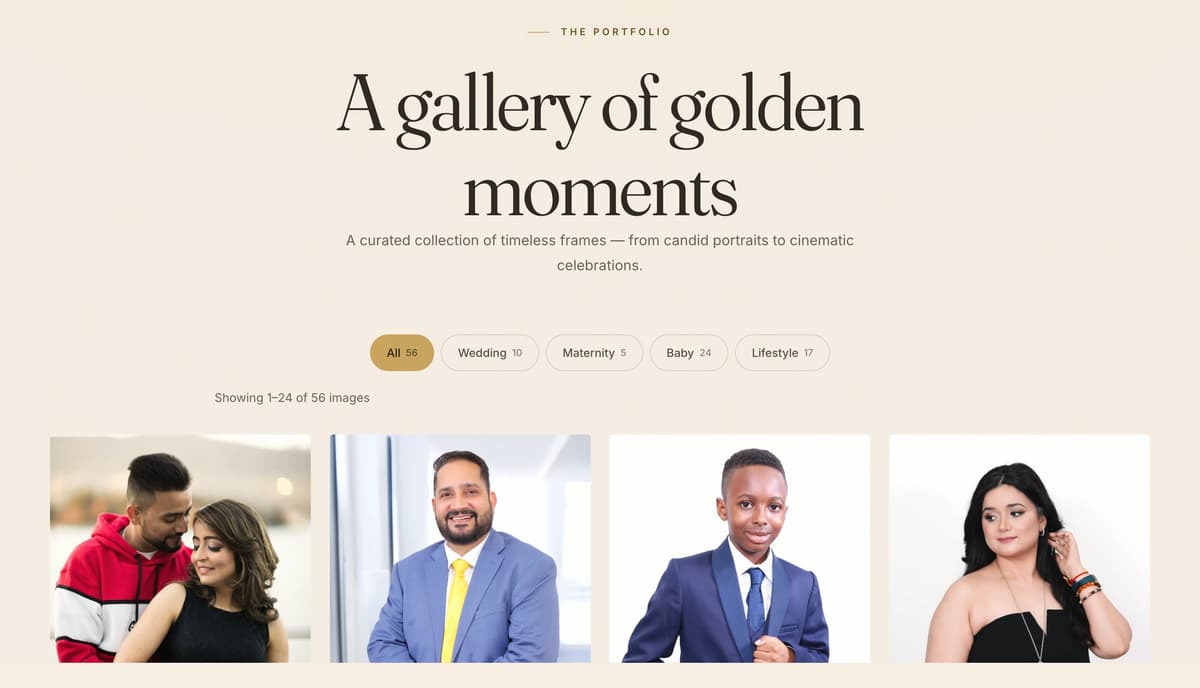
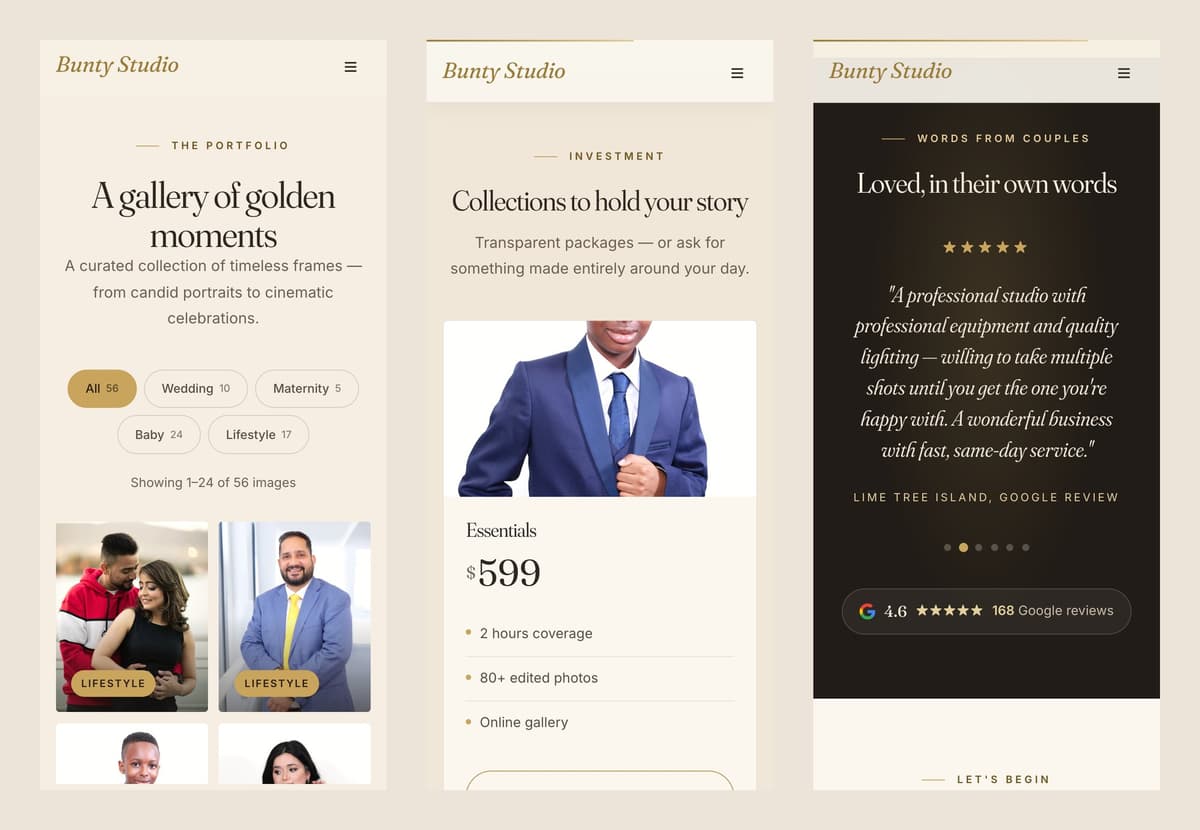
- Filter by what you came for. Wedding, Maternity, Baby and Lifestyle each have a filter with a live count, and each has its own page too, so a couple looking for wedding work never scrolls past baby portraits.
- Paged, not endless. The gallery shows 24 images per page, and photos further down the home page only load as you reach them.
- Compressed on the way in. Every photo uploaded through the admin is resized to a sensible maximum and recompressed automatically, so a full-size camera file never lands on the live site.
05 — Prices, out in the open
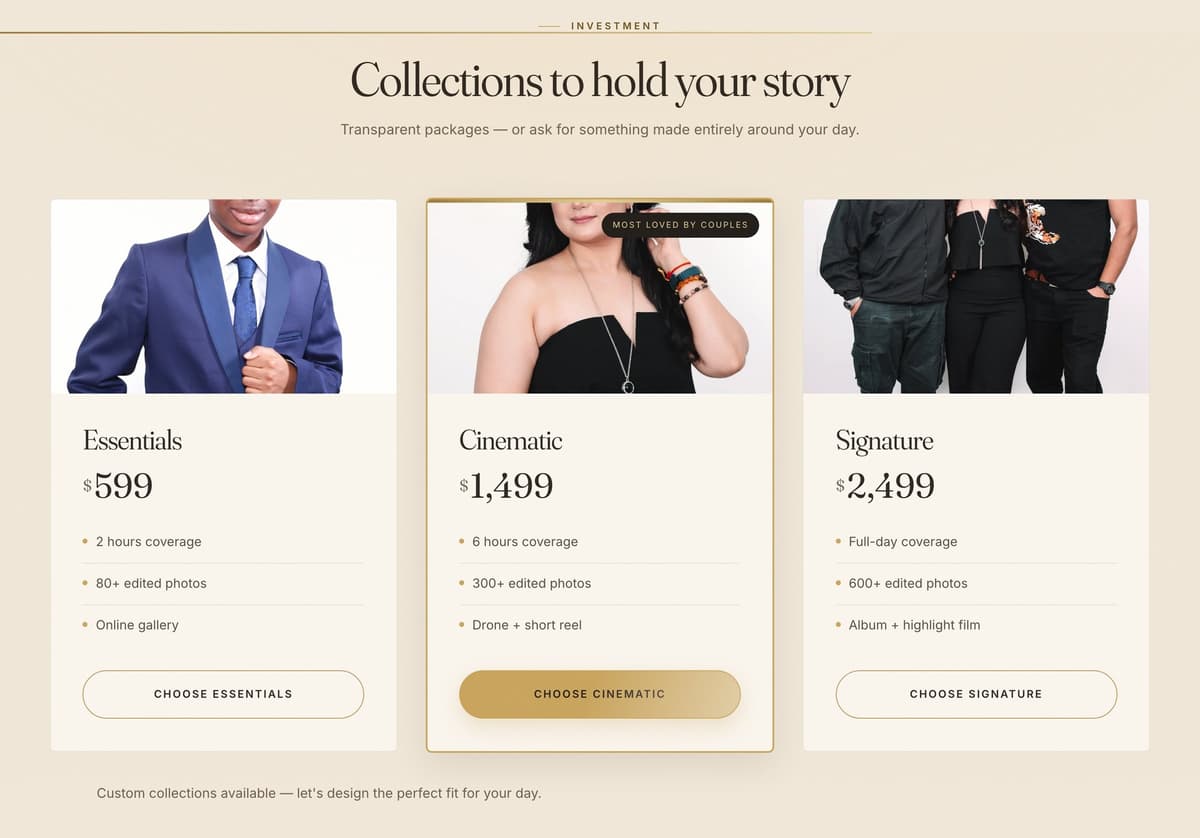
Many photographers hide their pricing behind "contact us". Bunty Studio shows three collections — Essentials, Cinematic and Signature — with coverage hours, the number of edited photos and the extras spelled out, plus a line inviting custom packages. Each card leads straight to the enquiry form. The collections, prices and features are all edited from the admin, not the code.
06 — Real reviews, not placeholders
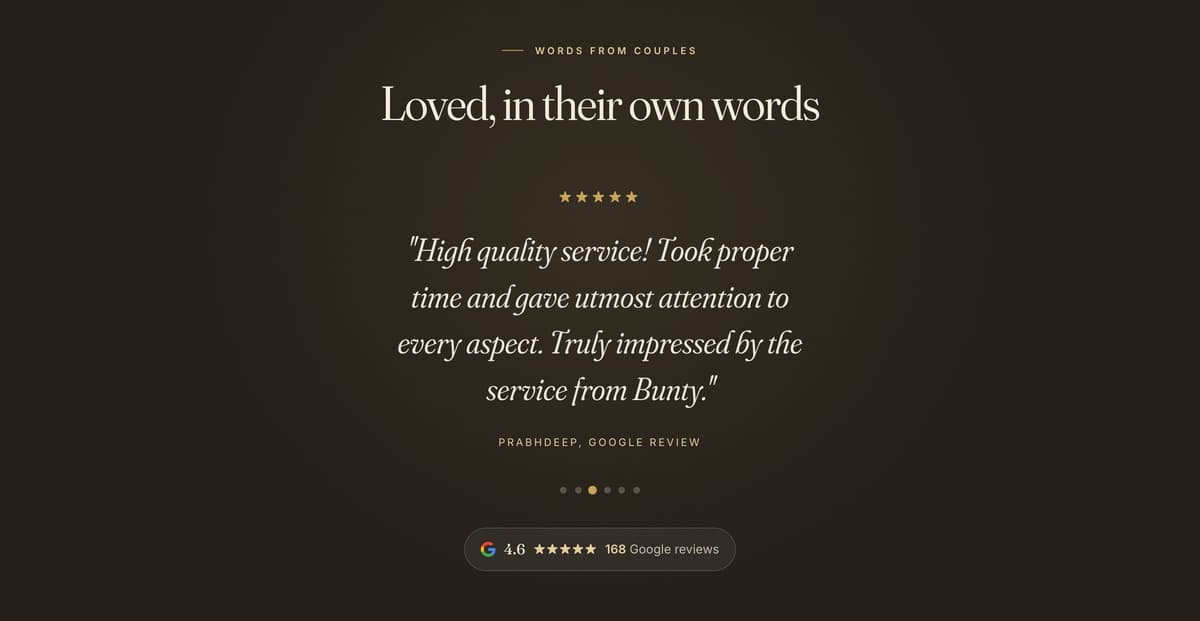
The first version launched with sample testimonials. In the redesign we replaced them with six of the studio's real Google reviews, each labelled as a Google review, and added a badge showing the studio's Google rating and review count that links to its Google listing. At the time of writing that badge reads 4.6 stars from 168 reviews.
07 — The design
The redesign swapped a generic champagne-and-white template look for something warmer: a paper-coloured background, espresso-brown text and an antique gold accent, with Fraunces for headlines and Inter for reading text. The gold is too light to read at small sizes, so small text uses a darker gold that passes contrast. Motion is kept light — sections fade in and the numbers count up — and all of it switches off for visitors who have asked their device to reduce motion.
08 — Run by the studio
Behind a login, the admin panel covers the day-to-day:
- Gallery. Pick a category, upload photos, done — each one is compressed and added to the right filter.
- Content. Services, pricing collections and testimonials are all plain forms.
- Settings. Studio name, logo, favicon and the home page hero photos.
- Enquiries. The contact form is protected against bots with a hidden spam trap and a security token, saves every enquiry, and emails the studio.
09 — Built to be simple
- No framework, no build step. Plain PHP pages, one stylesheet and one script, so any PHP host can run it and there's nothing to compile.
- Clean addresses. Pages live at addresses like
/gallery/rather than/gallery/index.php, with a sitemap, page descriptions and social-sharing previews in place. - No stale styles after an update. Stylesheets are cached for a month for speed, so each file's address changes automatically whenever it's edited — returning visitors never see new pages with old styling.
The result is a site that looks like the studio's own work, not a template — and that the studio can keep up to date itself.