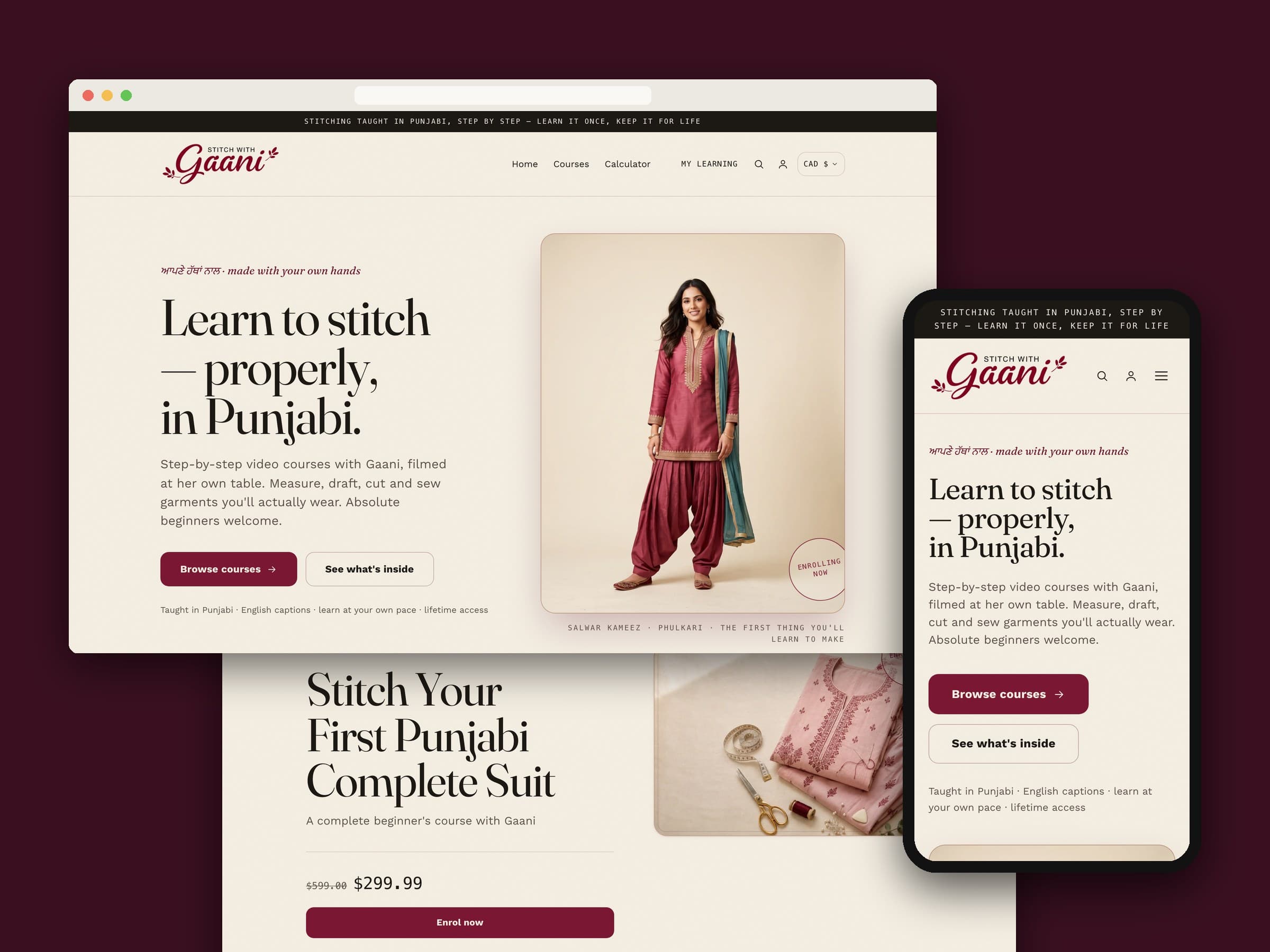
Stitch with Gaani is an online school for Punjabi suit-making, taught in Punjabi by Gaani at her own table. We designed and built the storefront it sells from: a custom Shopify theme that feels like a warm, heritage sewing school rather than a product shop, puts the courses and the Enrol button first, and gives every visitor a free Suit Cutting Calculator that works out a full cutting sheet from twelve measurements.
01 — At a glance
| Client | Gaani Gill — owner and tutor of Stitch with Gaani, courses taught in Punjabi |
|---|---|
| Where | Online, priced in Canadian dollars |
| What we built | Custom Shopify theme, course pages, enrolment flow, free Suit Cutting Calculator, video sections |
| Stack | Shopify Online Store 2.0 (Liquid), vanilla JavaScript, Chapters LMS app blocks |
02 — The brief
Gaani teaches something people usually learn from a mother or an aunt: how to measure, draft, cut and stitch a salwar kameez. Her students want to learn in Punjabi, from someone who sews the way they grew up seeing it done. A generic course store, a T-shirt shop with videos bolted on, wouldn't earn that trust.
So the site had two jobs. Feel like her — warm, cultural, personal — and sell courses without making anyone hunt for the price or the button. It also had to be honest from its first day live, with no borrowed reviews or invented numbers. The rule we worked to:
Every section should look finished on day one, and nothing on the page is allowed to be made up.
03 — A heritage look, not a template
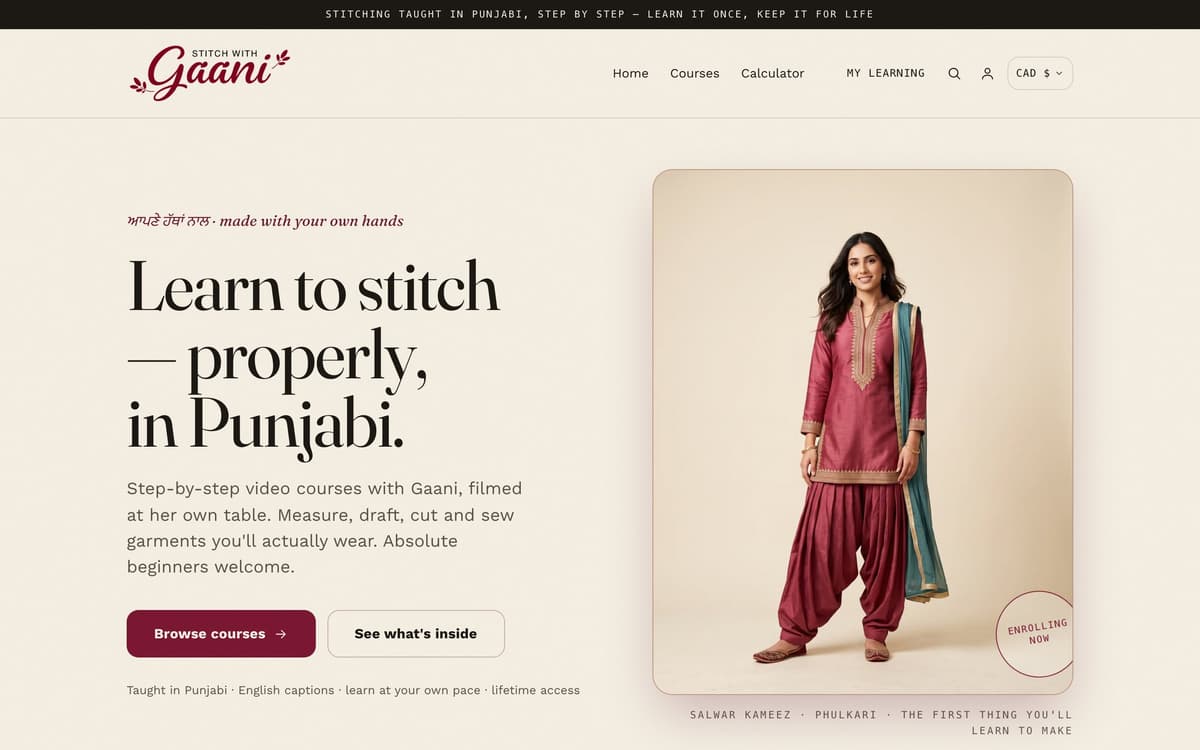
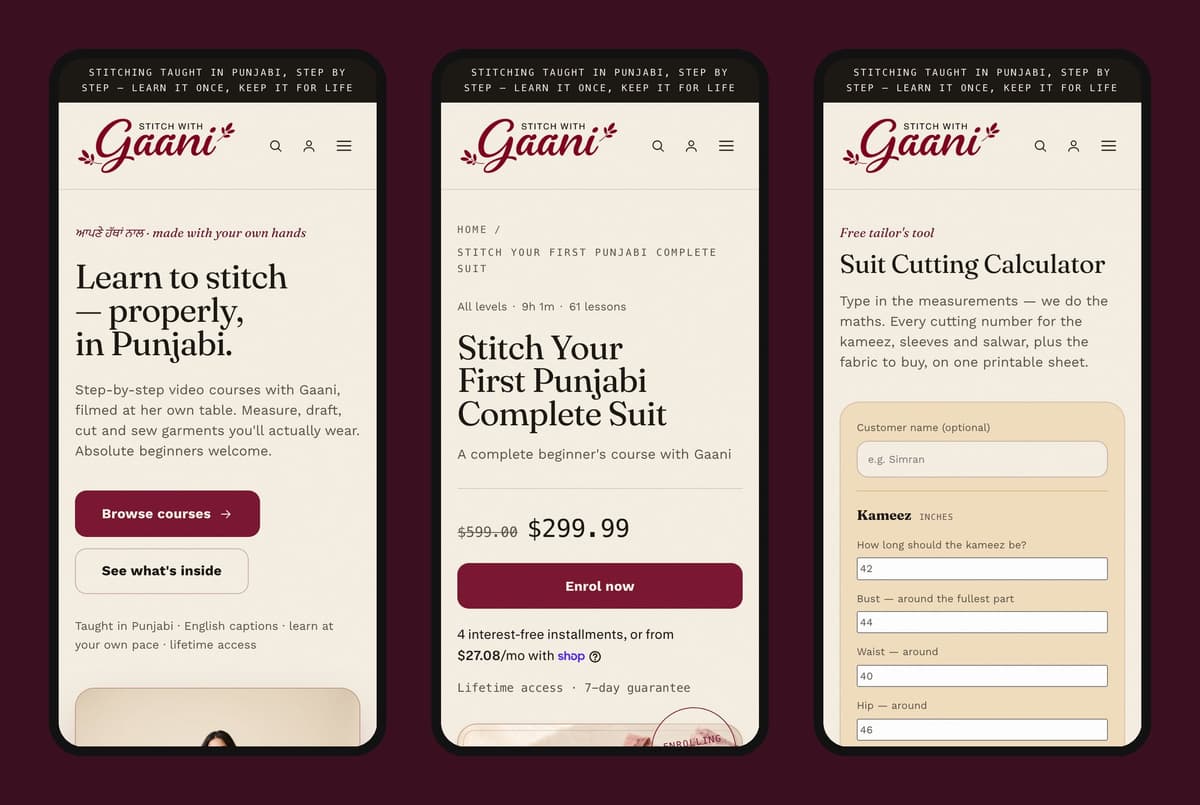
The burgundy is Gaani's logo colour, set against teal, gold thread-like rules and a warm cream page. Headlines are set in Fraunces and body text in Work Sans, both served from Shopify's own font library, so there's no third-party font download. Small touches carry the culture: eyebrows set in Gurmukhi beside the English ("ਆਪਣੇ ਹੱਥਾਂ ਨਾਲ · made with your own hands"), hairline rules like a printed workbook, and the method laid out as a numbered index — Measure, Draft & cut, Stitch & finish.
Every colour and font lives in one design-token file that all sections share, so the palette changes in one place.
04 — Courses first
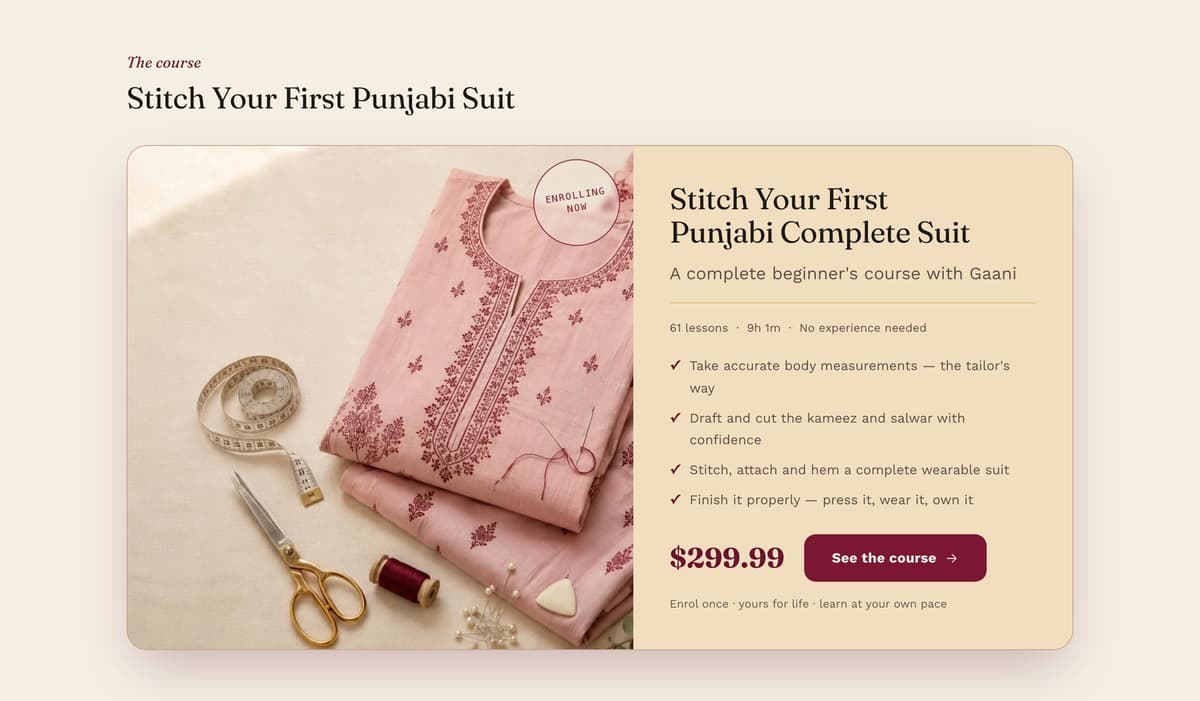
The homepage is ordered to sell: hero, featured course, then the full catalogue, before any of the story. Lesson counts and durations come from each course's own product data, so every course shows its real numbers. The buy path is short and hard to get wrong:
- Straight to checkout. Enrol skips the cart page and goes directly to checkout. Quantity pickers and "Buy it now" are switched off, so there's one button and one path.
- Enrol once. A course is something you own, not something you stock up on. Before adding to the cart, the button checks whether the course is already in it. Double clicks can't stack a second copy, and the button still works as a plain form if the script doesn't run.
- Price-aware promises. The line under the Enrol button switches automatically. A free course reads "Learn at your own pace"; a paid one reads "Lifetime access · 7-day guarantee". A free course never claims a refund guarantee.
- A sticky Enrol bar that knows its place. It appears once the hero has scrolled away and hides again at the footer, so it never covers the fine print.
- Built for a growing catalogue. The course grid hides itself until there are enough courses to fill it, since a grid of one reads like an empty shop. It no longer falls back to placeholder "demo" courses on a live store.
05 — A free Suit Cutting Calculator
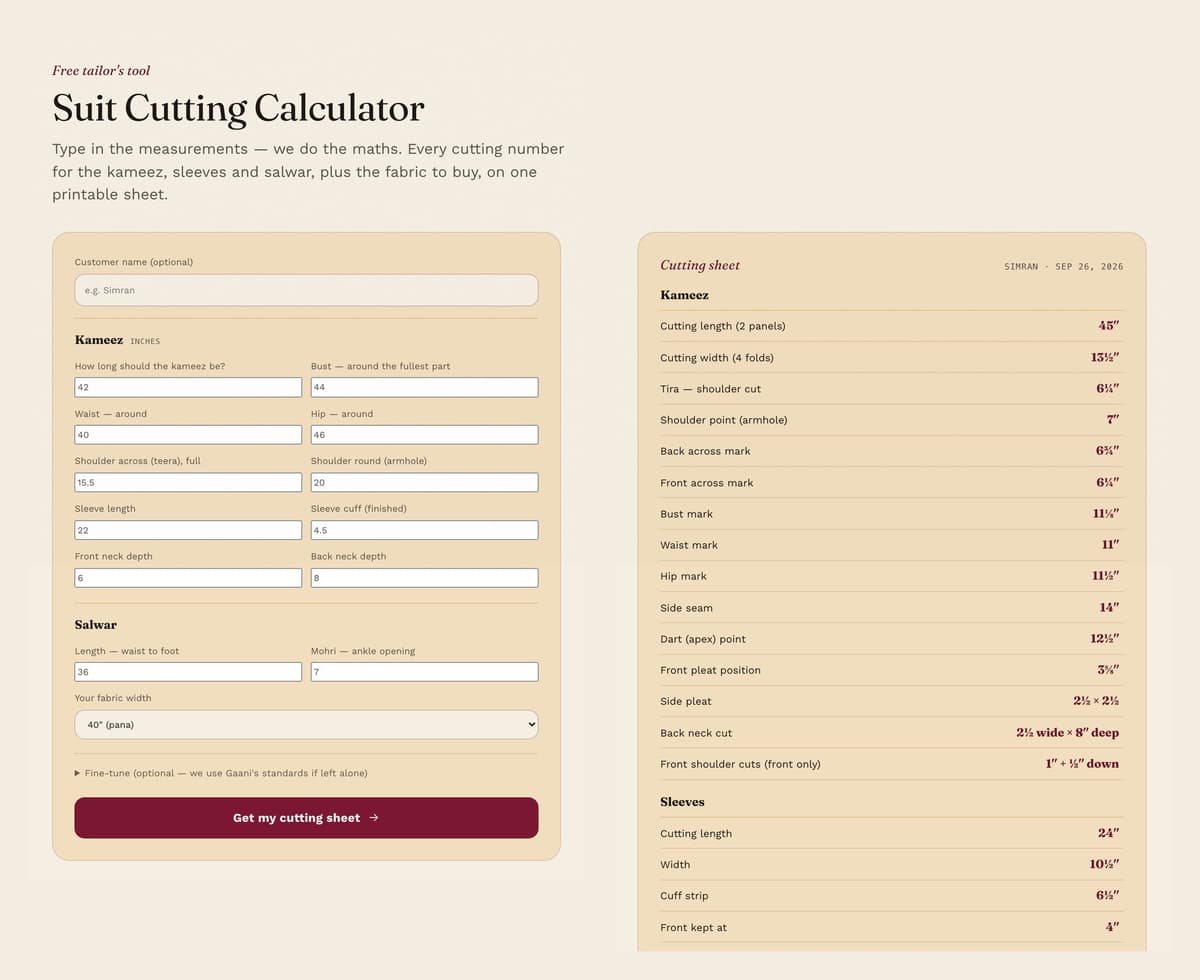
This is the part people come back for. We turned the drafting rules Gaani teaches in the course into a calculator that lives inside the theme at /pages/calculator. Enter bust, waist, hip, lengths and a few other measurements, and it returns every cutting number for the kameez, sleeves and salwar, plus how much fabric to buy.
- Simple on the surface. Plain questions with Gaani's standard values filled in. Anything a tailor would normally work out is derived for you, with an optional "Fine-tune" panel for overrides and for measuring from an existing suit.
- Tailor's numbers. Results come in inches and eighths — 6¼″, 11⅛″ — the way they're marked on cloth, not as decimals.
- Nothing leaves the browser. It runs entirely on the page, with no app, backend or account, and no measurements are uploaded.
- Guarded against nonsense. Every field has sensible limits, and a blank or impossible entry is flagged in place before any sheet is drawn.
- Prints only the sheet. Print opens a clean black-on-white page with just the cutting sheet, not the whole website.
Under the sheet, a single banner links to the full course. The free tool covers the numbers, and the course teaches you what to do with them.
06 — Video without the weight
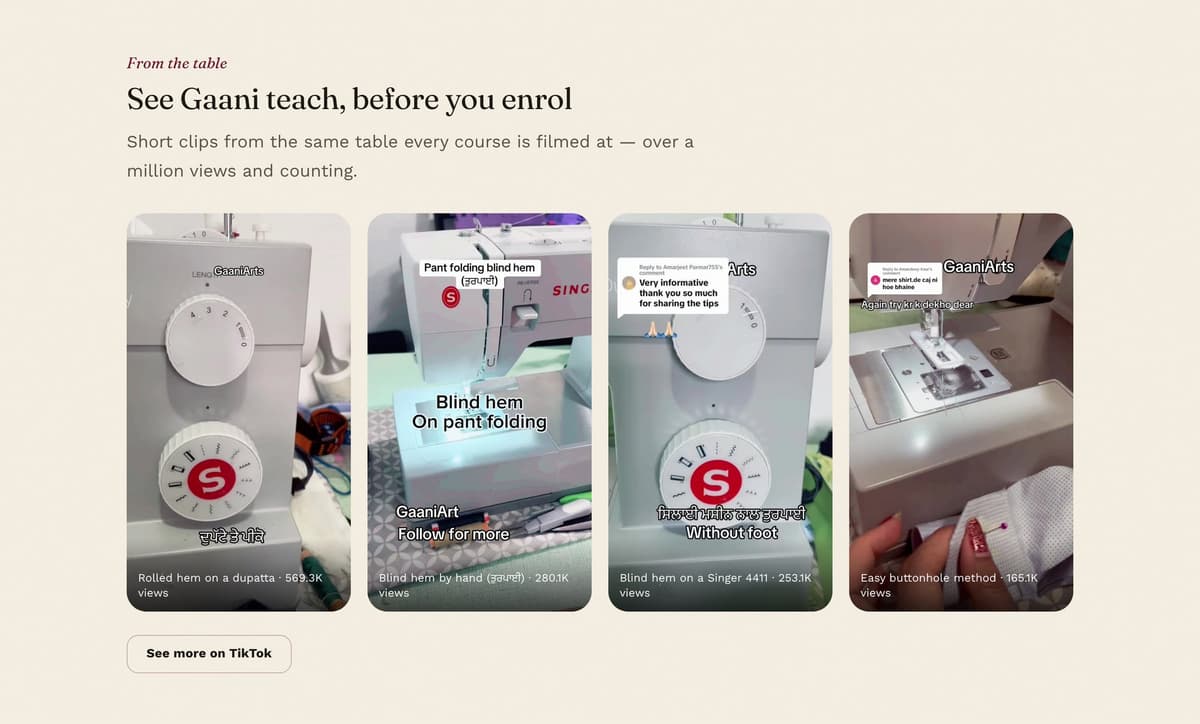
Gaani's short videos are the best proof she can teach, so they're on the page. Official TikTok and YouTube embeds, though, load heavy third-party scripts and set cookies before anyone presses play. We built lighter versions. The TikTok section loads no TikTok code at all: each card shows a cover, an uploaded clip plays in the page's own player and downloads nothing until someone presses play, and a button leads to her TikTok profile. The YouTube cards are plain thumbnails, and the player only loads when someone clicks, from YouTube's privacy-enhanced domain.
07 — Built to hold up
- It never renders blank. Scroll animations fail open. If the script doesn't run, or the page is opened by a crawler or preview bot that never scrolls, every section is shown anyway.
- The owner edits, not us. Headlines, FAQs, the instructor bio, videos and menu links are all theme settings she can change in Shopify's editor. Per-course details come from the course itself.
- Plays well with the LMS. The theme doesn't depend on any one app. It leaves standard slots where the Chapters LMS app drops in its course catalogue, and "My Learning" in the header points students to their course portal.
- Findable. Course pages carry product structured data, and the homepage has its own title and description settings for search.
The result is a store that looks and sounds like Gaani, puts the course and its price up front, and gives visitors something genuinely useful for free — one they can run without calling a developer.