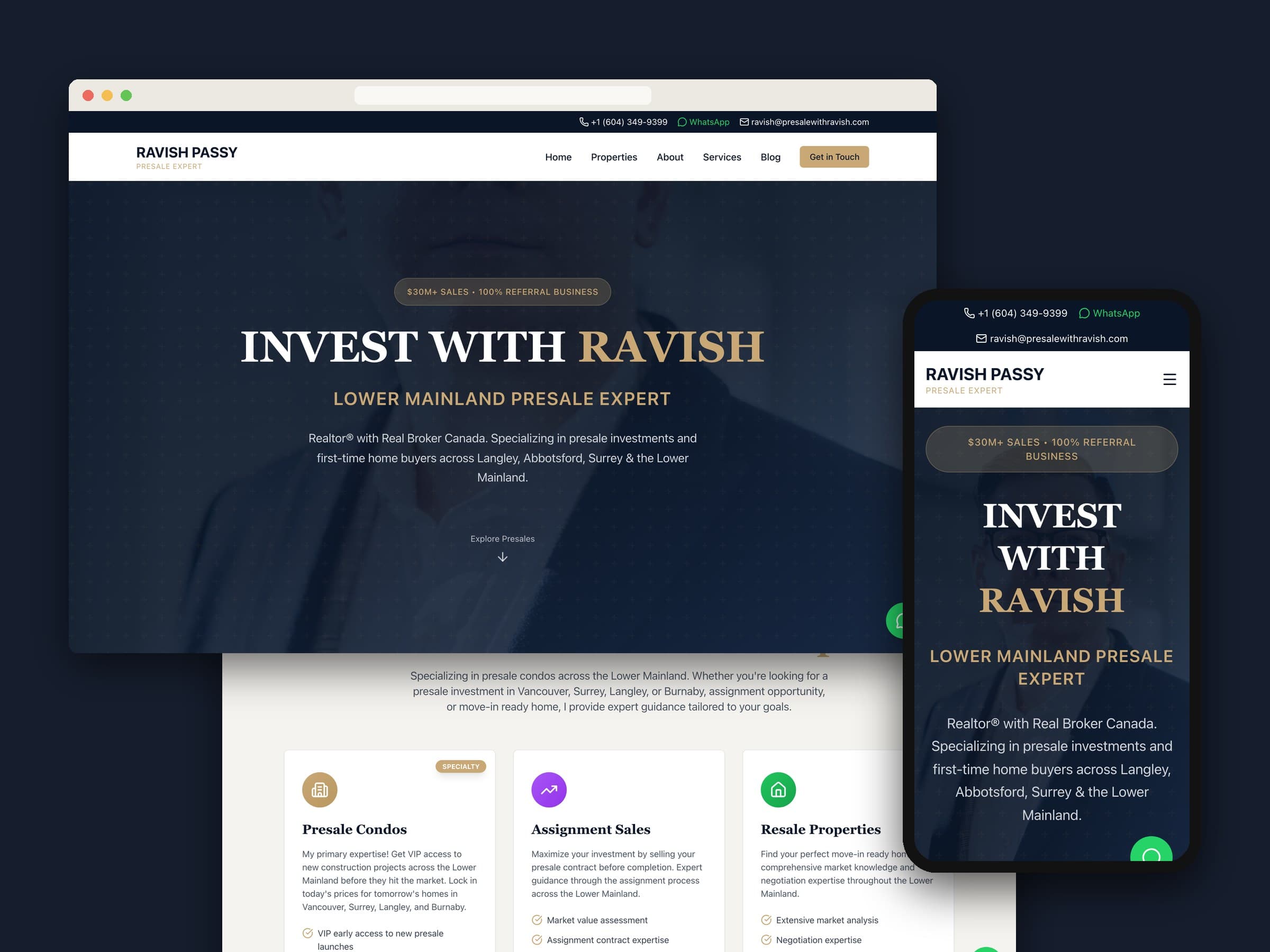
Pre Sale with Ravish is the website of Ravish Passy, a Realtor® with Real Broker Canada who specialises in presale condos and first-time buyers across Langley, Abbotsford, Surrey and the wider Lower Mainland. We designed and built it end to end: a navy-and-gold site that explains presales in plain language, keeps WhatsApp, phone and email one tap away on every page, and comes with a private dashboard where Ravish manages his listings, articles, reviews and inquiries himself.
01 — At a glance
| Client | Ravish Passy — Realtor®, Real Broker Canada |
|---|---|
| Where | Lower Mainland, BC |
| What we built | Website, property listings, service pages, blog, contact and WhatsApp lead capture, admin dashboard |
| Stack | Next.js, TypeScript, Tailwind CSS, Supabase (Postgres, file storage), Vercel |
02 — The brief
Ravish's business runs on referrals. The site itself states it plainly: more than $30 million in sales in his first year, 100% referral business, and $0 spent on marketing. That kind of practice doesn't need a website to find strangers. It needs one to catch the people who were already sent his way — someone hears his name from a friend, looks him up, and decides in a minute whether to get in touch.
So the site had three jobs. Look as serious as the advice. Explain presales, assignments and resale clearly enough that a first-time buyer feels less lost. And make reaching Ravish effortless, because in presales the good units go fast.
03 — One tap to Ravish
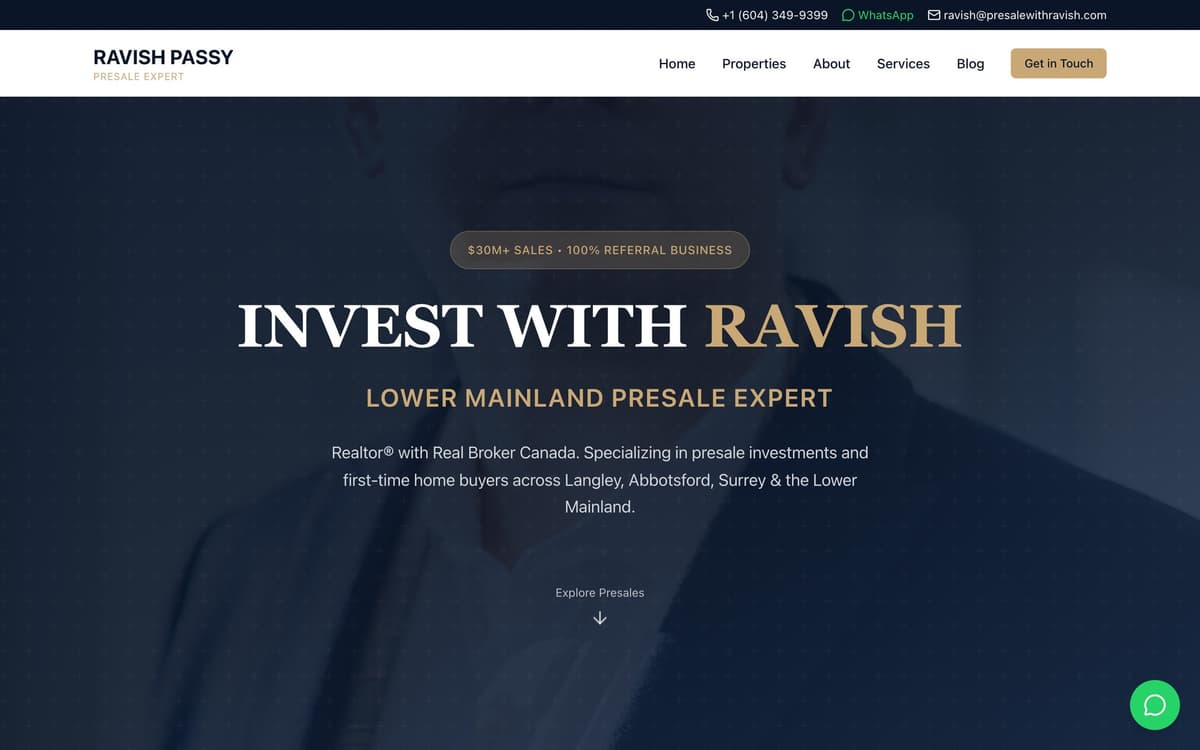
A thin bar above the navigation carries his phone number, WhatsApp and email on every page. A floating WhatsApp button, labelled "Chat with Ravish", follows the visitor down every page as well.
- Messages start themselves. Every WhatsApp link opens a chat with a greeting already written, so a buyer only has to press send.
- Calls are one tap. Phone numbers are real
tel:links, so on a phone they dial straight away. - Every page ends with a way in. The home, about, services and presale pages all close on a call-to-action, not a dead end.
04 — Presales, explained
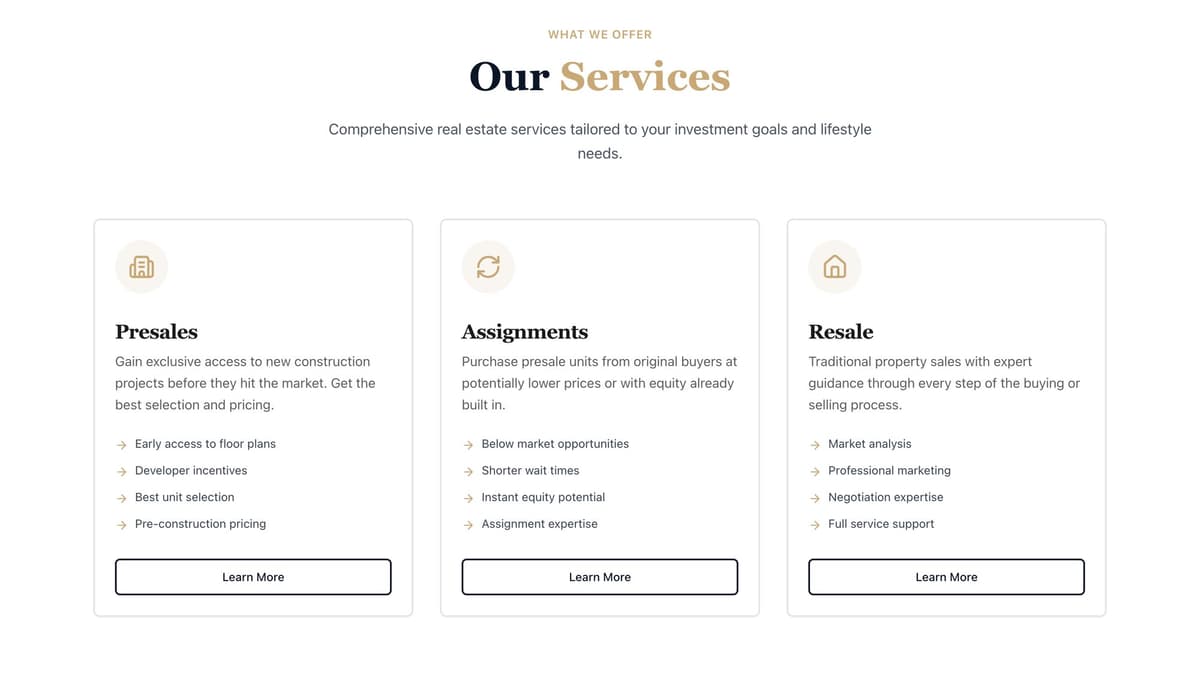
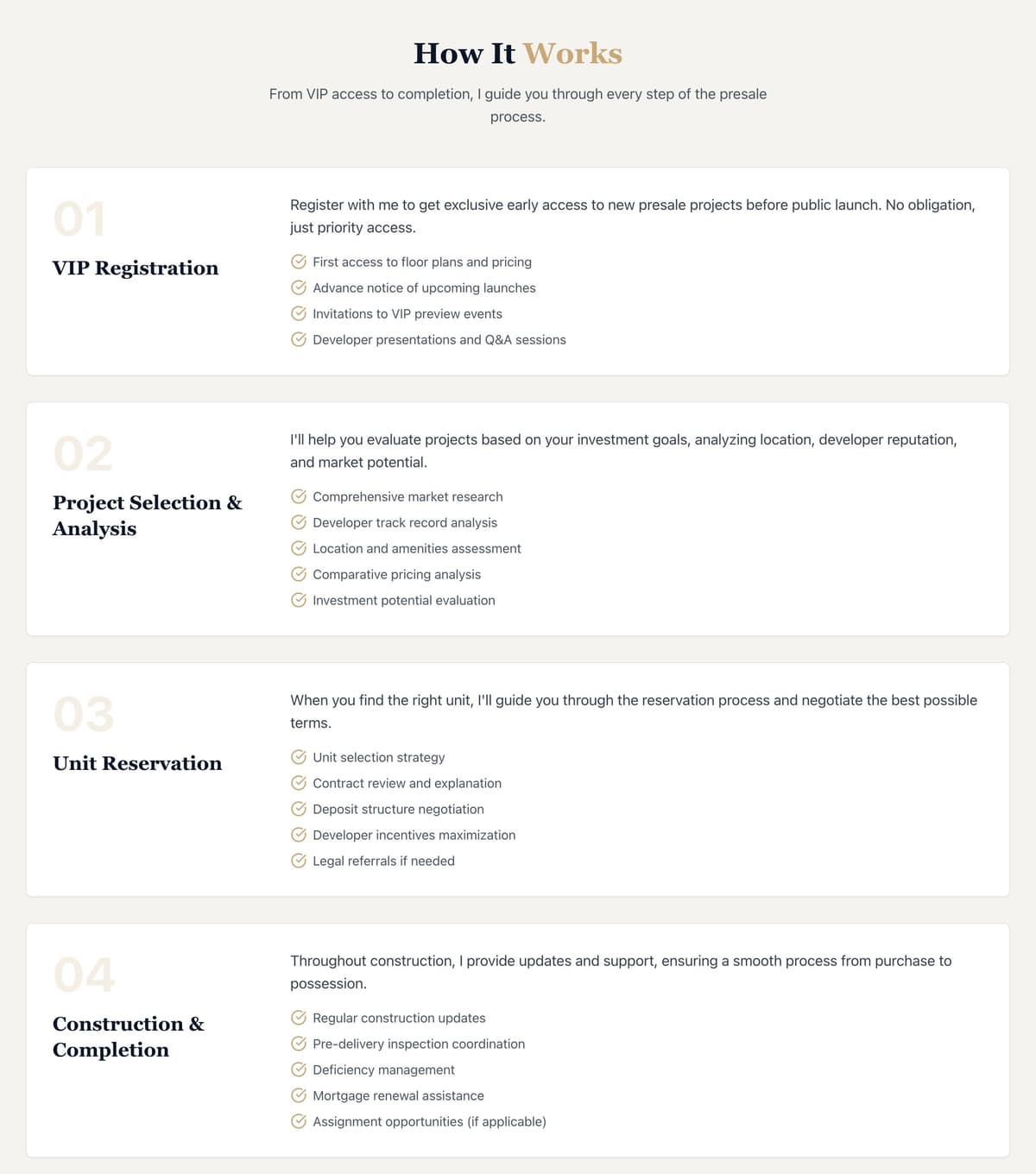
Presales, assignments and resale each get their own page, written for the buyer rather than the industry. The presale page walks through the whole journey in four steps — VIP registration, project selection, unit reservation, construction and completion — and ends with the questions people actually ask. How much deposit do I need? Can I sell before completion? What are the risks? The deposit answer uses a worked example, so the numbers make sense.
Every page also has its own search title — "Presale Condos Lower Mainland", "Contact Ravish Passy — WhatsApp, Call or Email" — rather than one title repeated across the site.
05 — Listings built for how buyers search
The properties page filters by type (presale, assignment or resale), by fifteen Lower Mainland cities, by bedrooms and by price, with a free-text search on top. Behind it, each listing is built for presales, not generic homes. It can hold a price range, bedroom and size ranges, the developer, the completion date, the deposit structure, floor plans, a gallery and a virtual tour, plus its own search title and description. A listing can be marked available, coming soon, selling, on hold or sold, and any listing can be featured on the home page.
06 — Inquiries with context
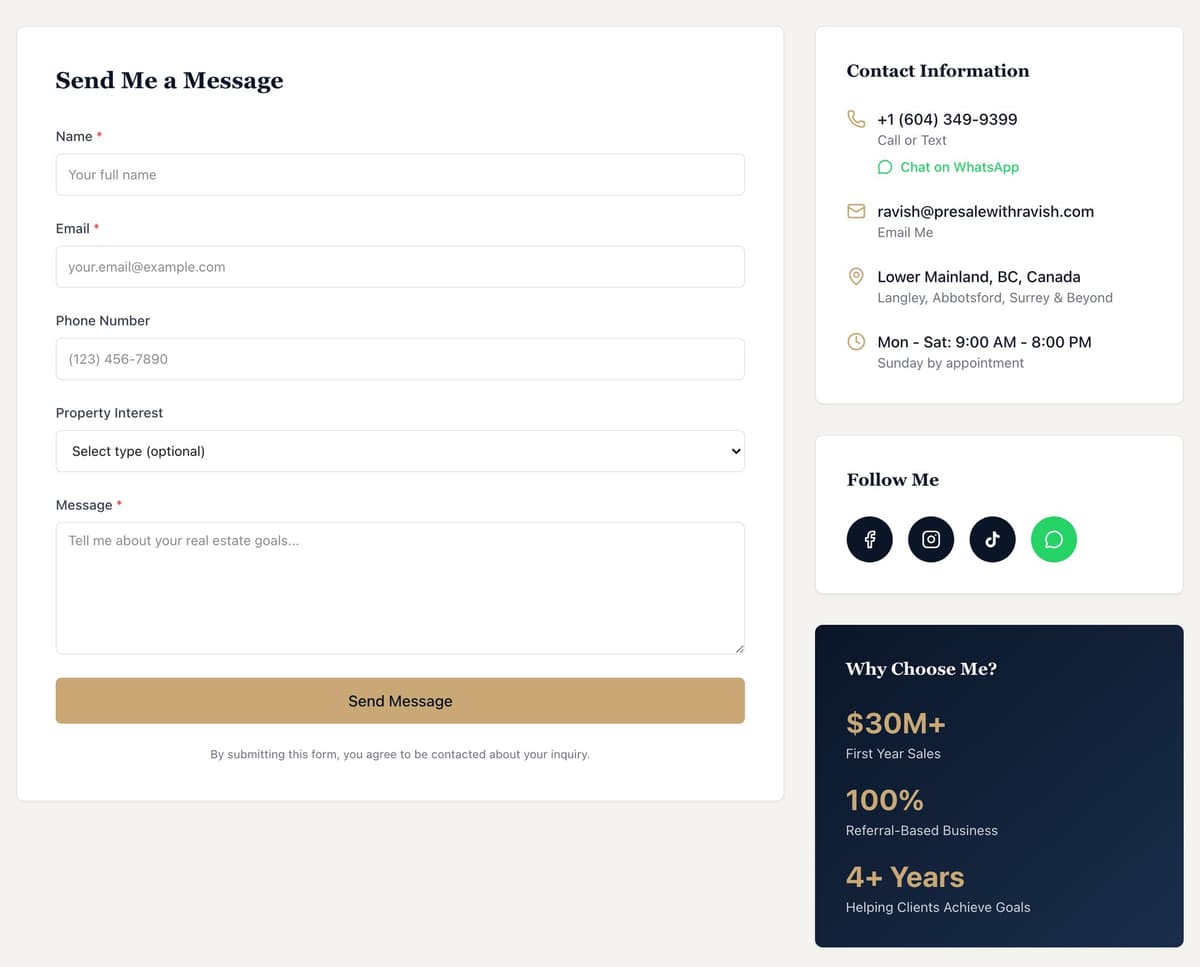
The contact form asks for just enough: name, email, an optional phone number, and what the person is interested in — presale condos, assignment sales, resale or a general consultation. That answer is saved with the message, so Ravish knows what the conversation is about before he replies. Beside the form sit his hours, his social accounts and the same one-tap WhatsApp link.
07 — His own dashboard
The brief was that Ravish should never have to wait on a developer to change his own site. The admin dashboard covers everything that changes:
- Properties. Add, edit, feature and remove listings, with photos, and change their status as a project sells.
- Blog. Market updates and buyer guides, saved as drafts until he publishes them, with categories, tags and search descriptions.
- Testimonials. Client reviews with a star rating, which he can feature or hide.
- Inquiries. Every contact-form message in one list, marked read or unread.
- Settings. The hero image, his portrait, logo, favicon, contact details and social links.
If it changes, Ravish can change it himself. If it doesn't, he never has to think about it.
The rules live in the database itself. The public only ever sees published posts and active reviews. Anyone can send an inquiry, but only someone signed in to the dashboard can read one.
08 — A design that says "trust me"
The palette is deep navy, a muted gold and a warm off-white: serious, calm, a little premium, and never flashy. Headlines are set in a classic serif, with a clean sans for the reading text. Gold is kept for the things that matter: the badge, the key words, the main buttons. Sections open gently as you scroll, and on a phone the layout folds into a single column without losing the contact bar.
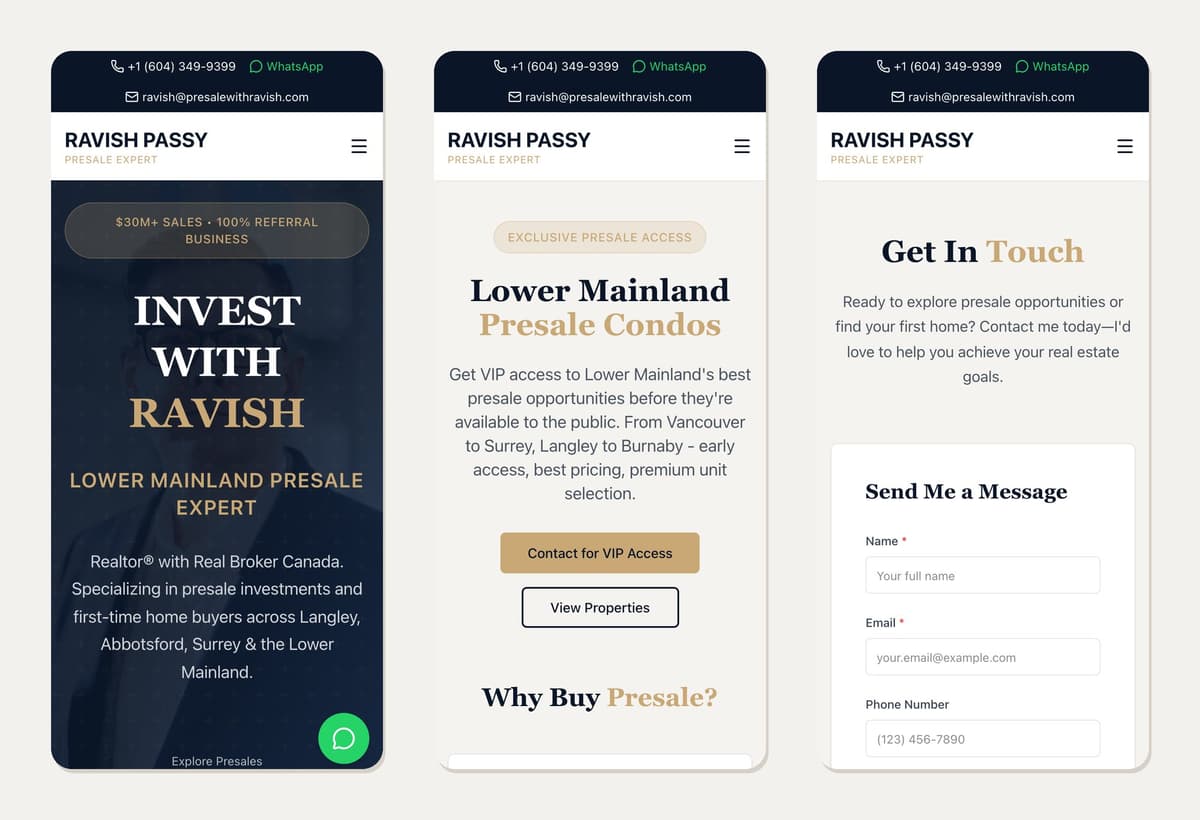
The result is a site that does what Ravish's referrals need it to do. It shows who he is, explains what he does and puts him one tap away — and he runs it himself.